Every item, reshuffled
Chests, gifts, dungeon rewards and shop stock are redistributed each seed, so even veterans have to explore instead of following muscle memory.

Wind Waker Randomizer shuffles every item in The Legend of Zelda: The Wind Waker, opens the Great Sea from the start and removes most cutscenes, so every playthrough is a new adventure. Get the official v1.10.0 build, set it up in minutes and learn the settings that make each seed fun.
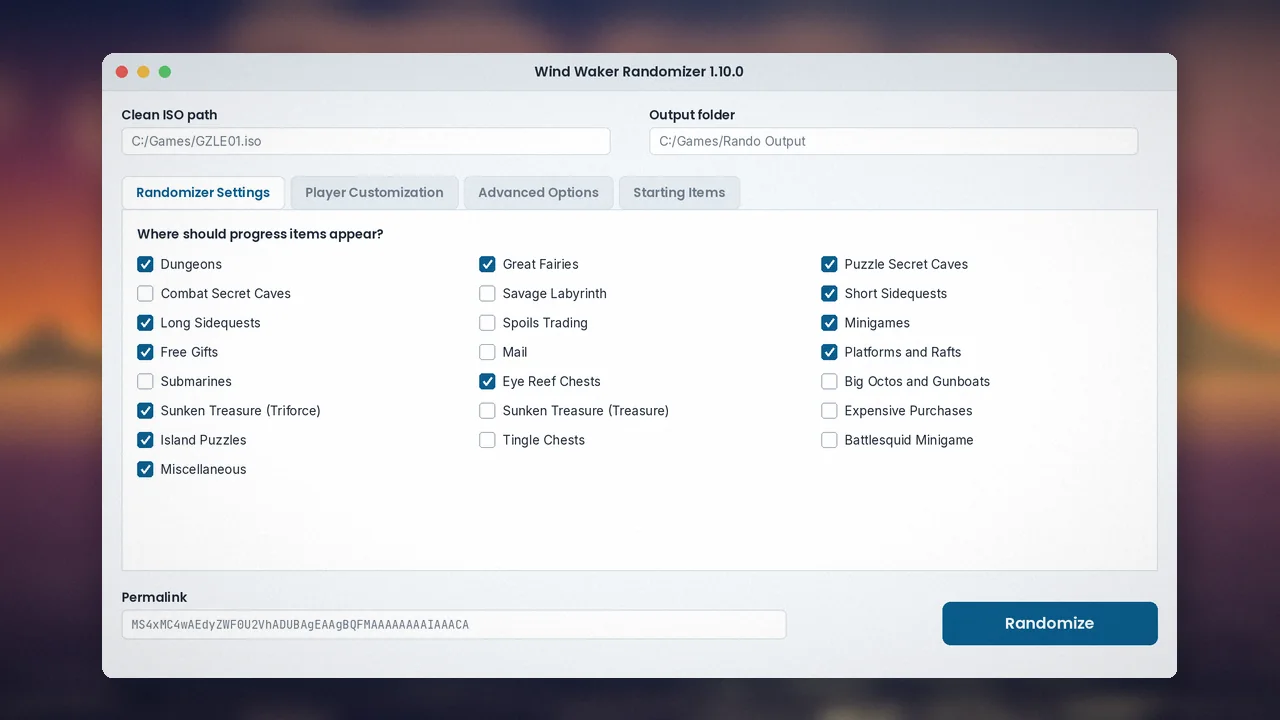
Wind Waker Randomizer is a free desktop program that takes your copy of The Legend of Zelda: The Wind Waker for GameCube and produces a new version where items are shuffled into different locations. The Hookshot might be in a Great Fairy fountain, the Deku Leaf behind a mailbox letter, and your sword could be waiting at the bottom of a secret cave.
The project was started in 2018 by developer LagoLunatic and has grown through many releases with help from community programmers, artists and testers. Version 1.10.0 added official Mac and Linux builds alongside Windows and made randomization faster.
Wind Waker is loved, but after one or two playthroughs its order becomes predictable. The randomizer was built to recapture the feeling of the first run: exploring without knowing what you will find. It also removes most cutscenes and speeds up sailing and text, trimming the parts that slow down repeat play.
It suits returning fans who know the game, speedrunners and racers who want fresh challenges, streamers looking for unpredictable content, and students curious about how game logic and item placement algorithms work. If you have never finished Wind Waker, play the original first; the randomizer is best when you already know the world.
New here? Start with our step-by-step install guide, then read the settings guide for beginners.
Nine reasons players keep coming back to the Great Sea, each explained by what it changes in your run.
Chests, gifts, dungeon rewards and shop stock are redistributed each seed, so even veterans have to explore instead of following muscle memory.
The placement logic guarantees every seed can be finished without tricks or sequence breaks. If you feel stuck, a real path always exists.
The Great Sea is open immediately. Plan your own route rather than following the story's fixed order of islands and dungeons.
Most cutscenes are removed, text speeds up and the optional Swift Sail tweak cuts long crossings, keeping the focus on discovery.
Toggle progression categories such as dungeons, secret caves, sidequests or sunken treasure to set run length from two hours to a marathon.
Shuffle dungeon and secret cave entrances, randomize charts and pick a random starting island for runs that feel brand new.
Fishmen and other hint sources point you toward useful regions. Race mode focuses items into required dungeons for fair competition.
One short code stores version, settings and seed name. Share it and friends generate the exact same world for co-op or racing.
Recolour the hero, pick presets or load community-made player models, some of which even replace the ship you sail.
The randomizer itself is light. Most of the hardware demand comes from the emulator you use to play the result.
| Component | Minimum | Recommended |
|---|---|---|
| Operating system | Windows 10 64-bit, recent macOS, 64-bit Linux | Windows 11, latest macOS, current Ubuntu or Fedora |
| CPU | Dual-core 64-bit processor | Quad-core with strong single-thread speed (for Dolphin) |
| RAM | 4 GB | 8 GB or more |
| GPU | Not required to randomize | DirectX 11, Vulkan or Metal capable GPU for Dolphin at 2x to 3x resolution |
| Storage | 3 GB free (source ISO plus one output) | 10 GB free on an SSD for several seeds |
| Game file | North American GameCube ISO of The Wind Waker (MD5 d8e4d45af2032a081a0f446384e9261b) | |
| Internet | Only to download the program, custom models or use a web tracker. Randomizing works offline. | |
Every download button links to the official GitHub release. We never rehost or modify the files.
Mirror downloads
GitHub release 1.10.0 page Source code (ZIP, advanced)SHA256: compare with the value on the GitHub release before running
Pick your platform. Each guide takes about ten minutes, most of it waiting for the download.
If the executable disappears or shows "Failed to execute script wwrando", add an antivirus exclusion for the folder and extract again.
chmod +x on the randomizer binary.Prefer source? Install Python 3.12, clone with git clone --recurse-submodules, run python3 -m pip install -r requirements.txt --user, then python3 wwrando.py.
Need more detail? Read the full installation guide.
From a relaxed first seed to tournament-style settings.
Keep the default settings, turn on Swift Sail and start with the Hero's Sword. Leave the spoiler log enabled as a safety net. Clear every check on your starting island before sailing out, and pick up All-Purpose Bait early for fishmen hints.
Enable dungeon and secret cave entrance shuffle, randomized charts and a random starting island. Try No Starting Sword or Swordless once you know the logic. Turn off the spoiler log and use race mode with hints for competitive play. See our race mode guide.
Verify your ISO checksum before anything else, keep one folder per randomizer version, name output files by date, and always save in-game to the memory card rather than relying only on emulator save states.
Route by sea sectors instead of zig-zagging, unlock warps early, record every hint in a tracker and remember that a solution never requires glitches. More in our first-seed tips.
| Where | Shortcut | Action |
|---|---|---|
| Randomizer window | Tab / Shift+Tab | Move between settings |
| Randomizer window | Space | Toggle the focused checkbox |
| Randomizer window | Ctrl+C / Ctrl+V | Copy or paste a permalink |
| Dolphin (default) | Shift+F1 to F8 | Save state to slot 1 to 8 |
| Dolphin (default) | F1 to F8 | Load state from slot 1 to 8 |
| Dolphin (default) | Alt+Enter | Toggle fullscreen |
Dolphin hotkeys can be changed in its hotkey settings; the values above are common defaults.
A simple pipeline from your clean disc image to a brand-new adventure.
The tool checks that your file is the supported North American release.
Chosen categories define where progress items may be placed.
An algorithm fills locations so every required item stays reachable.
Items, text, tweaks and optional cosmetics are written into game files.
A playable ISO and optional spoiler log appear in your output folder.
Where the randomizer runs, and where the randomized game can be played.
| Category | Item | Status | Notes |
|---|---|---|---|
| Operating systems | Windows 10 / 11 (64-bit) | Supported | Official release build |
| Operating systems | macOS | Supported | Official build since 1.10.0 |
| Operating systems | Linux (64-bit) | Supported | Official build since 1.10.0 |
| Operating systems | 32-bit systems | From source | No release build; run with Python |
| Browsers | Chrome, Firefox, Edge, Safari | Web trackers | The randomizer itself is not browser-based |
| Devices | Dolphin (PC, Mac, Linux, Android) | Plays output | Most common way to play |
| Devices | Wii via Nintendont / GameCube loaders | Plays output | Use your own legal copy |
| Devices | iOS / iPadOS | Not supported | No official app or emulator |
| Framework support | Python 3.12 (source) | Supported | Per the project README |
| Integration support | Community trackers, custom models | Supported | Via permalink and models folder |
| Game versions | EU / JP GameCube, Wind Waker HD | Not supported | North American GameCube only |
An honest look after many seeds on version 1.10.0.
Study a real open-source Python project and see how constraint-based item placement guarantees solvable worlds.
Replay a favourite adventure with new surprises, from relaxed weekend seeds to long explorer runs.
Contribute features, study file-format tooling or build compatible trackers using the permalink format.
Event organisers and gaming cafés run community races and tournaments with fair, reproducible seeds.
Examine how randomized item placement changes player routing, decision-making and replay value.
Stream unpredictable runs, race other creators and show off custom player models to your audience.
Select any image to enlarge it.
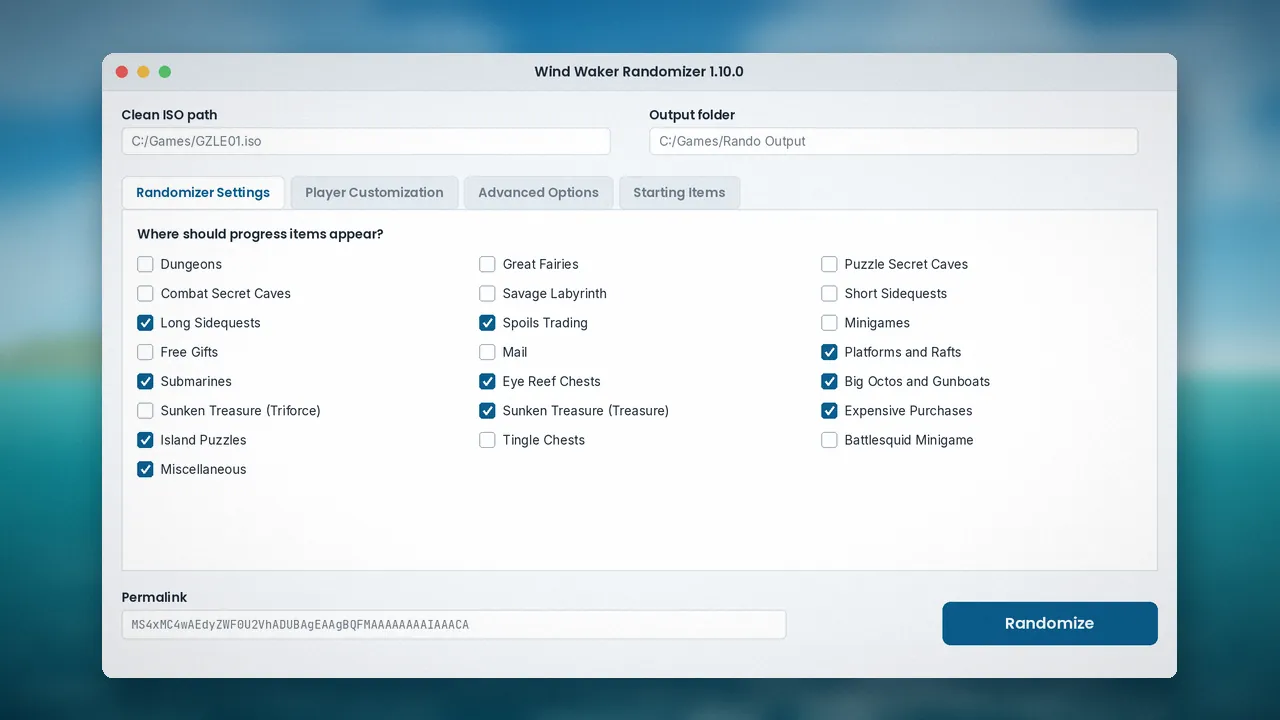
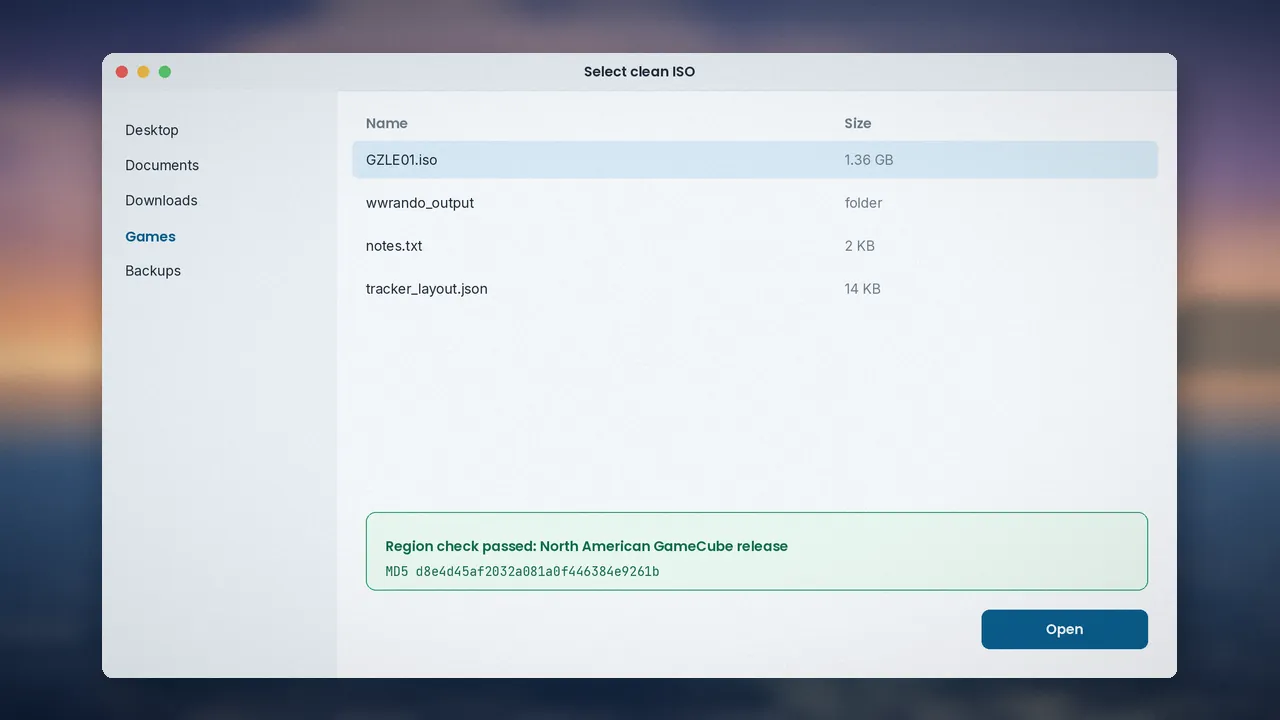
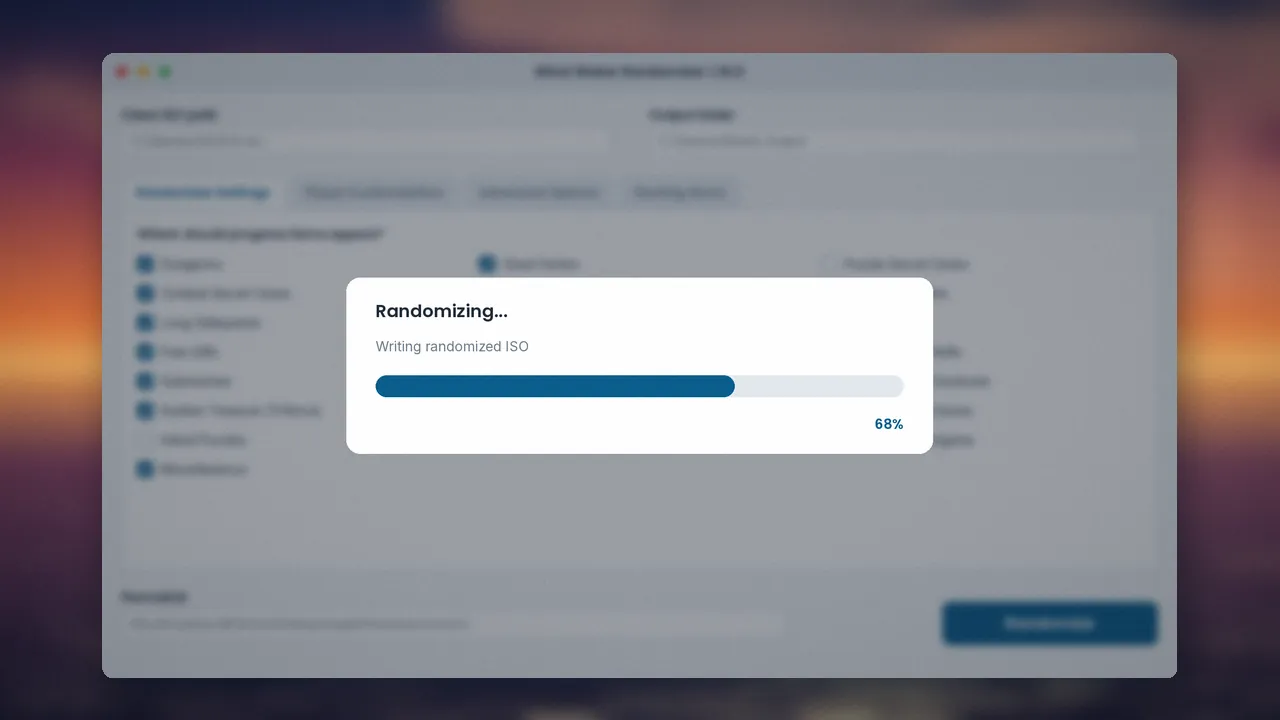
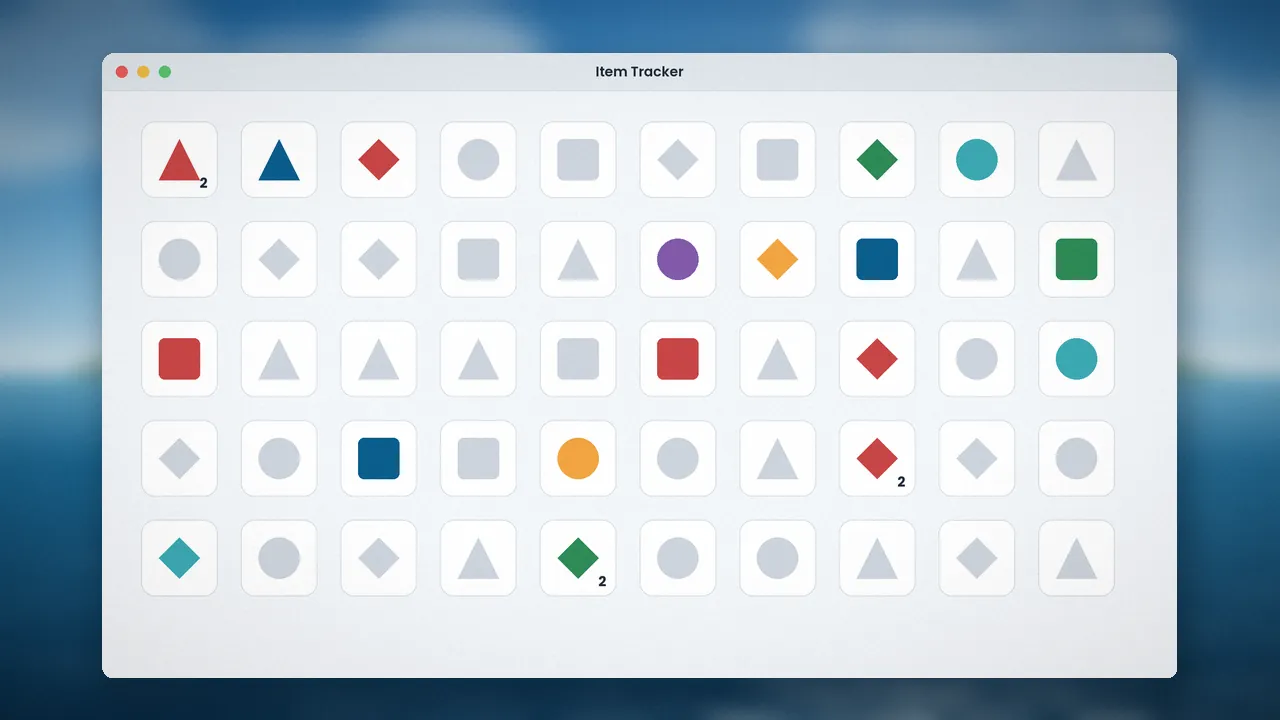
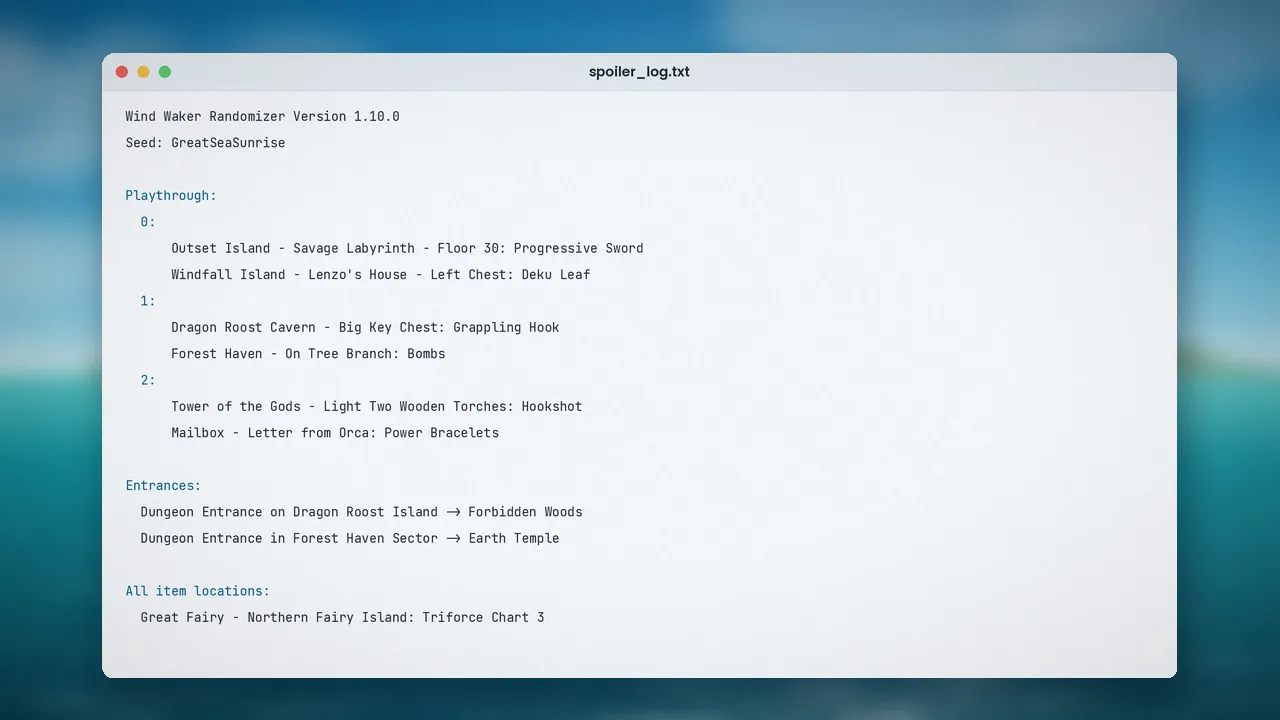
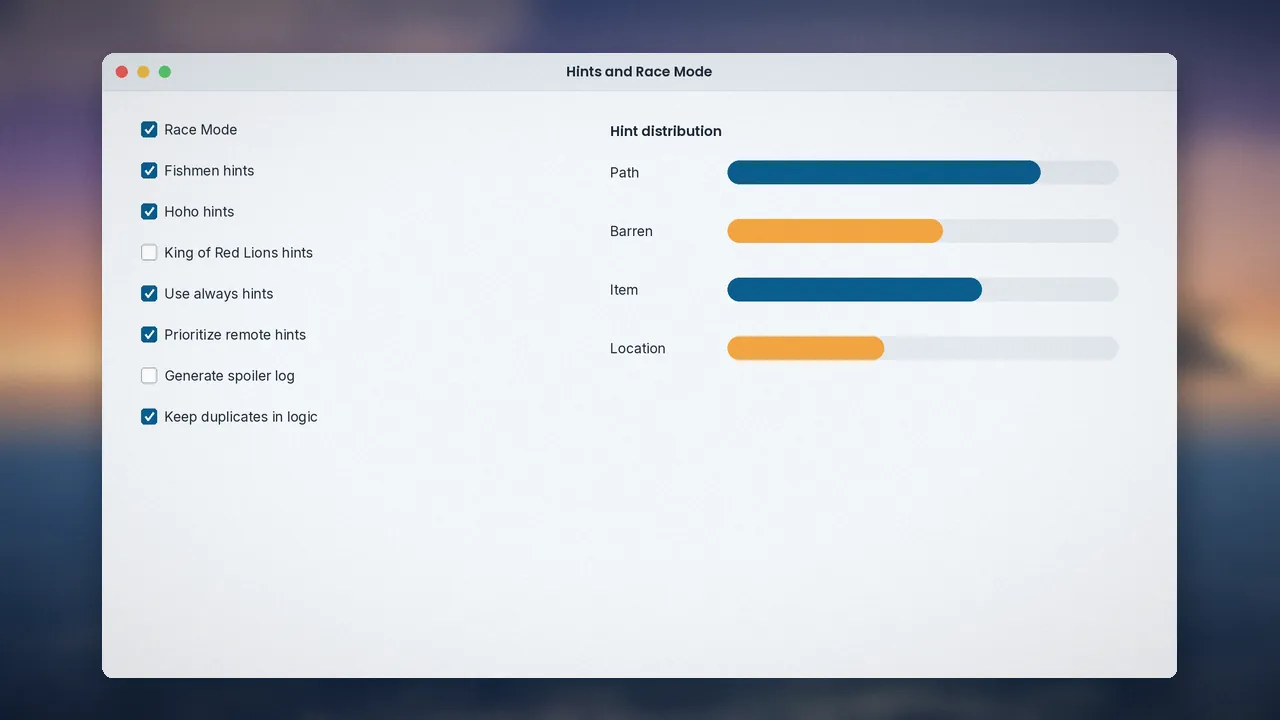
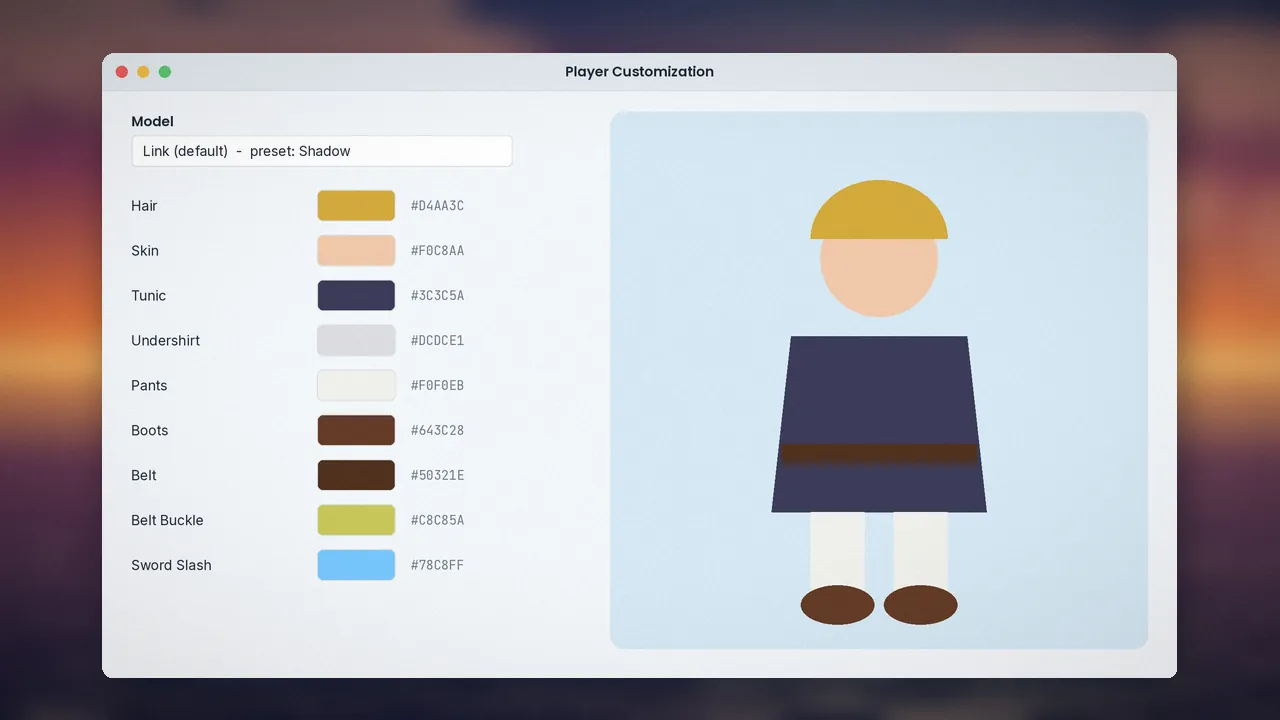
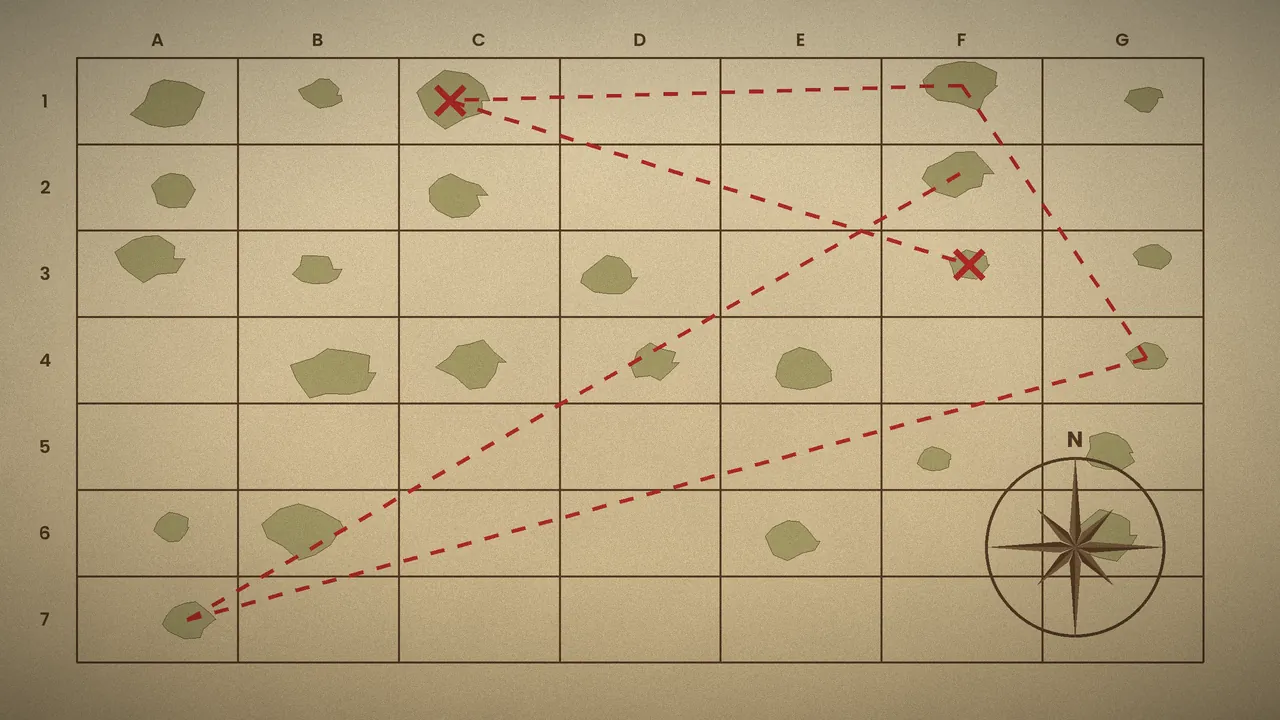
Common errors, their fixes, known issues and performance tips.
| Problem | Likely cause | Fix |
|---|---|---|
| ISO rejected as invalid | EU, JP or HD version, or bad dump | Use the North American GameCube ISO and verify its MD5 |
| "Failed to execute script wwrando" | Antivirus quarantine | Restore the file, add a folder exclusion, extract again |
| Executable vanishes after unzip | Antivirus deletion | Same as above; only for official GitHub files |
| Permission denied on output | Protected or synced folder | Choose a local folder in your user directory |
| macOS says app cannot be opened | Gatekeeper | Right-click, then Open, once |
| Stutter in Dolphin | Shader compilation | Enable asynchronous or hybrid ubershaders |
| Seed seems impossible | Missed check | Recheck mail, fairies, song checks; use a tracker or spoiler log |
Compressed formats such as RVZ or WBFS will not pass the checksum; convert them back to ISO in Dolphin first. Seeds made from source and release builds differ unless a spoiler log is generated, by design.
Keep your ISO and output on an SSD, use Vulkan or Direct3D 11 in Dolphin, and run at 2x to 3x internal resolution for sharp, stable play. Full details in the errors and fixes guide.
What the randomizer does on your computer, and what it does not.
Yes, when downloaded from GitHub. The source code is public and reviewed by the community, and it only reads your ISO and writes a new file.
The program has no accounts, telemetry or ads. Your settings stay on your machine. See our privacy policy for this website.
Read access to your ISO and write access to your chosen output folder. No administrator rights are needed.
None by the randomizer. Online trackers you choose to use may store progress in your browser's local storage.
Open-source code, official GitHub distribution and checksum validation of the input ISO.
We link only to official releases and re-test each new version before updating this page.
Other community randomizers, compared on the points that matter most.
| Software | Price | License | OS support | Features | Rating | Pros | Cons |
|---|---|---|---|---|---|---|---|
| Wind Waker Randomizer | Free | MIT | Win, Mac, Linux | Items, entrances, hints, race mode, models | 4.8 | Guaranteed beatable, deep options | NA GameCube ISO only |
| Ocarina of Time Randomizer | Free | Open source | Win, Mac, Linux, web | Items, entrances, hints, many modes | 4.7 | Huge community, web generator | Different game |
| A Link to the Past Randomizer | Free | Open source | Web-based | Items, modes, race tools | 4.7 | Mature racing scene | Different game |
| Twilight Princess Randomizer | Free | Open source | Web generator | Items, logic settings | 4.5 | Modern Zelda option | Setup varies by version |
| Minish Cap Randomizer | Free | Open source | Windows, web | Items, logic presets | 4.4 | Short runs | Smaller community |
| Archipelago (multiworld) | Free | Open source | Win, Mac, Linux | Links many randomized games | 4.6 | Co-op across games | More complex setup |
Ratings are our editorial scores. Always check each project's official page for current platforms and licenses.
4.8 out of 5 average from 1,284 ratings.
I have beaten Wind Waker more times than I can count, and the randomizer made it feel new again. Starting with no sword and finding it in a secret cave two hours later was a highlight. Setup took ten minutes.
Great open-source project to learn from. The logic that guarantees a beatable seed is clever, and running from source with Python 3.12 worked first try. The permalink system is neat for sharing with classmates.
Race mode plus hints strikes a good balance between searching and routing. Everyone on the same version and permalink means results are fair. Swift Sail should be on in every seed.
Viewers love guessing where items are. Custom models add personality to streams. My only wish is a built-in tracker, but the community web tracker fills that gap well.
I was worried it would be complicated. The default settings gave me a relaxed three-hour run. The spoiler log saved me once when I missed a mailbox letter.
An excellent case study in how item logic changes player behaviour. The only hurdle for new players is getting the correct North American ISO, which is clearly documented.
Sixteen answers covering download, installation, security, licensing, updates, troubleshooting and alternatives.
Download it only from the official GitHub releases page of the LagoLunatic/wwrando repository, or through links on the developer's official website. Every button on this site points there. Avoid re-uploads on file-hosting sites, since they can be outdated or bundled with adware. The randomizer itself is a small program; it never includes the game, which you supply yourself.
Yes. It is completely free and open source under the MIT license, which allows anyone to use, study and modify the code. There are no paid tiers, subscriptions or in-app purchases. If anyone asks you to pay for the randomizer or a special build, treat it as a scam and download from GitHub instead.
You need the North American GameCube version of The Legend of Zelda: The Wind Waker as an ISO. The expected MD5 checksum is d8e4d45af2032a081a0f446384e9261b. European and Japanese versions are not supported, and neither is Wind Waker HD for Wii U. The randomizer checks your file and will refuse unsupported copies.
There is no traditional installer. Download the release archive for your system, extract it into a folder you own, and run the program. On macOS, right-click and choose Open the first time. On Linux, make the file executable first. Our full installation guide walks through each system, including running from source with Python.
The randomizer itself is a desktop application for Windows, macOS and Linux. However, you can generate a seed on a computer and then play the randomized ISO on Android with the Dolphin emulator, provided your phone is powerful enough. iOS has no official Dolphin release, so iPhone play is not practical for most people.
Download the new release and extract it to a fresh folder. Keep the old folder until you finish any seed in progress, because a seed generated on one version must be played with that version's settings. Your clean ISO does not need to change. Check the GitHub release notes to see what changed before updating mid-season.
The code is released under the MIT license by LagoLunatic, with contributions from many community developers. You may use it freely, including for streaming and races. The license covers the randomizer only; the game itself remains Nintendo's property, which is why you must supply your own legally obtained copy.
No. Once downloaded, the randomizer works fully offline. It reads your ISO, shuffles items locally and writes a new file on your computer. You only need the internet to download releases, custom models or to use an online tracker. No account or login is ever required.
The official release is safe. It is open source, so its code is publicly reviewable, and it only reads your ISO and writes a new one. Some antivirus tools flag packaged Python programs by mistake. If that happens with a file from the official GitHub page, it is a false positive; add the folder as an exclusion rather than disabling protection.
This message, or the executable disappearing after you unzip it, usually means antivirus software has quarantined part of the program. Restore the file, add an exclusion for the randomizer folder, and extract the archive again. Make sure you downloaded the release from the official GitHub page before whitelisting anything.
Yes. The randomizer guarantees that every playthrough is completable and that no glitches or tricks are required. If you believe you are stuck, recheck mail, Great Fairies and checks that need songs or the Deku Leaf. A logic-aware tracker or the spoiler log will point to the missing location in almost every case.
It depends on your settings. A short preset with few progression categories and starting Triforce Shards can take two to three hours. Standard community settings usually land around three to five hours, and runs with long sidequests, sunken treasure and entrance shuffle can go well beyond that.
Yes. The output is a normal ISO, so it can be played on a Wii through homebrew loaders such as Nintendont, or on compatible GameCube setups. Use your own legally obtained copy. Performance is identical to the original game because the randomizer changes data, not the game engine.
The spoiler log is an optional text file listing where every item was placed. It is useful if you get stuck, and many casual players keep it as a safety net. For races, turn it off. Without a spoiler log, release and source builds intentionally produce different layouts to prevent cheating.
If you enjoy Wind Waker Randomizer, similar community projects exist for other Zelda games, including randomizers for Ocarina of Time, A Link to the Past, Twilight Princess and The Minish Cap. Multiworld frameworks like Archipelago also connect several randomized games. See our comparison table for licenses, platforms and strengths.
First read the official FAQ and our troubleshooting guide. If the problem persists, open an issue on the GitHub repository and include your randomizer version and permalink. The official community Discord is also a friendly place to ask questions and find people to race with.
In-depth tutorials written and tested on version 1.10.0.

A clean, step-by-step setup for every desktop system, from checking your ISO to generating the first seed.

What each option in the settings window actually changes, plus three balanced presets you can copy.

Trackers turn a confusing seed into a clear checklist. Here is how to set one up and read it properly.

The emulator settings that keep randomizer seeds smooth, stable and pleasant to play for hours.

The most common error messages, what causes them and the fastest fix for each one.

Everything you need to run a fair race: permalinks, hint types, race mode and when to skip the spoiler log.
Free, open source and straight from the official GitHub release.
Questions about this guide, corrections or partnership ideas? Reach out and we usually reply within two business days. For bugs in the randomizer itself, please use the official GitHub issue tracker.