

When the randomizer refuses to run or a seed behaves strangely, the cause is usually one of a handful of known issues. Work through the sections below in order; the early ones fix most problems.
ISO and file errors
"Invalid ISO" or wrong game
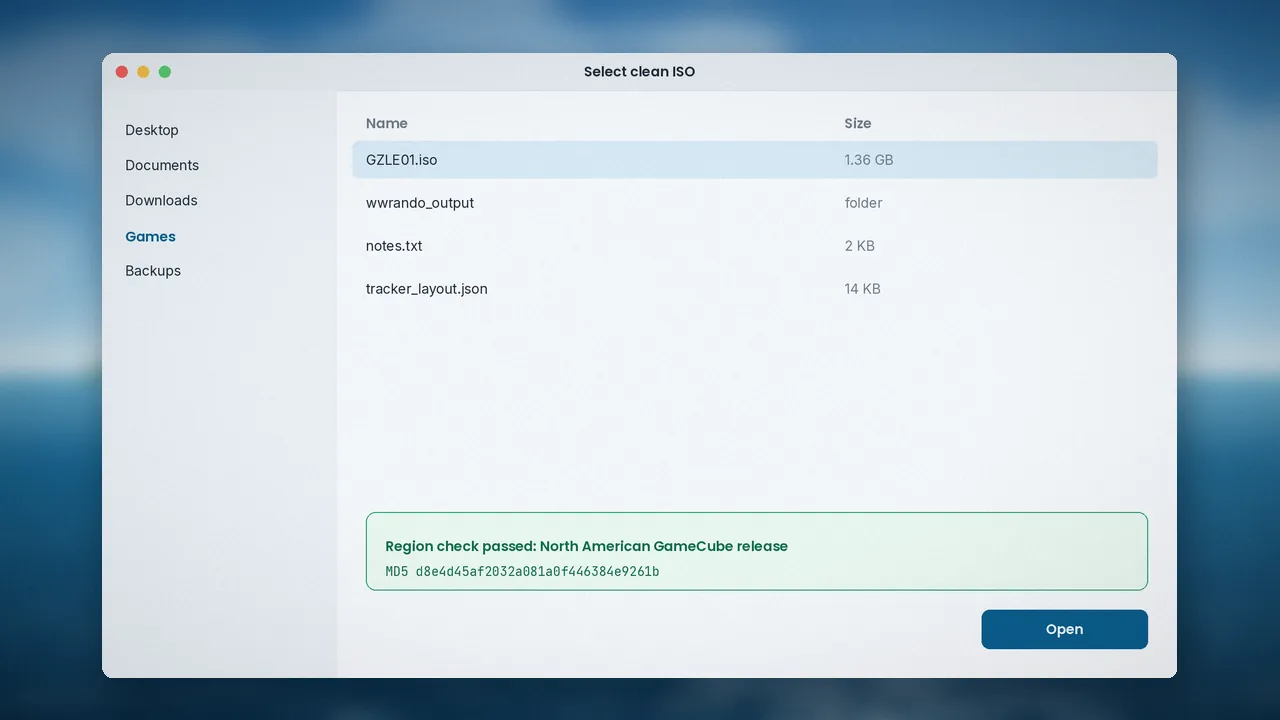
This almost always means the disc image is not the North American GameCube release. European, Japanese and HD versions are rejected on purpose. Compare the MD5 of your file with d8e4d45af2032a081a0f446384e9261b.
MD5 mismatch on a North American ISO
A mismatch on the right region points to a bad dump or a compressed format. Convert RVZ, WBFS or GCZ files back to a plain ISO using Dolphin's convert option, then check again.
Launch and permission problems
Antivirus quarantine
If you see "Failed to execute script wwrando", or the executable vanishes right after you unzip it, your antivirus has almost certainly flagged it. Packaged Python apps are sometimes caught by heuristic scanners. If you downloaded from the official GitHub release, restore the file and exclude the folder. Never disable protection for files from unknown mirrors.
Permission denied when writing output
Pick an output folder inside your user directory. Protected folders and cloud-synced folders that lock files mid-write are common culprits.
macOS or Linux will not open it
On macOS, right-click and choose Open to pass Gatekeeper once. On Linux, make the file executable and run it from a terminal to see error messages. The install guide covers both in detail.
In-game problems
"I'm stuck and nothing is reachable"
Seeds are guaranteed beatable without glitches, so a real softlock is rare. Check the easy-to-miss spots first: mail, Great Fairies, and items that need a specific song or the Deku Leaf. A logic-aware tracker often shows the missing check in seconds.
Using the spoiler log safely
If you generated a spoiler log, search it for the item you need rather than reading it top to bottom. That keeps most of the surprise intact.
Crashes or freezes
Freezes are usually emulator-related. Try a different graphics backend, disable dual core for a test, and make sure you are on a current Dolphin build. See the Dolphin setup guide.
Reporting a real bug
What to include
If you have ruled out everything else, open an issue on the GitHub repository with your randomizer version, permalink, a description of where you are stuck and, if possible, a save file. Clear reports get fixed faster.
Check known issues first
Search existing issues and the project FAQ before posting. Many "bugs" are already answered there.
Performance tips
Faster randomization
Generating a seed is mostly disk work. Using an SSD for both the source ISO and the output folder shortens the wait noticeably.
Keep versions consistent
Players in the same race should use the same randomizer version, or seeds will differ. Our FAQ answers more version questions.
Troubleshooting questions
Why does my ISO work in Dolphin but not in the randomizer?
Dolphin plays many regions and formats, but the randomizer only accepts the North American GameCube ISO in its uncompressed form. A European copy or a compressed RVZ file will run in the emulator yet fail the randomizer's check. Convert and verify the file first.
Is it safe to whitelist the randomizer in my antivirus?
It is safe for the official release downloaded from GitHub. The code is open for anyone to inspect. Never whitelist files from unofficial mirrors, and scan the archive yourself if you want extra peace of mind before extracting it.
What if the randomizer freezes while writing the ISO?
Writing a 1.4 GB file can take a while on slower drives. Give it a few minutes before assuming it has frozen. If it truly stops, check free disk space and try a different output folder on a local drive rather than a network or cloud-synced location.
Most issues fall into three buckets: the wrong ISO, an overprotective antivirus, or an emulator setting. Work through them in that order and you will usually be back on the Great Sea within minutes. If you are still stuck, the official FAQ and the community Discord are both friendly places to ask.